
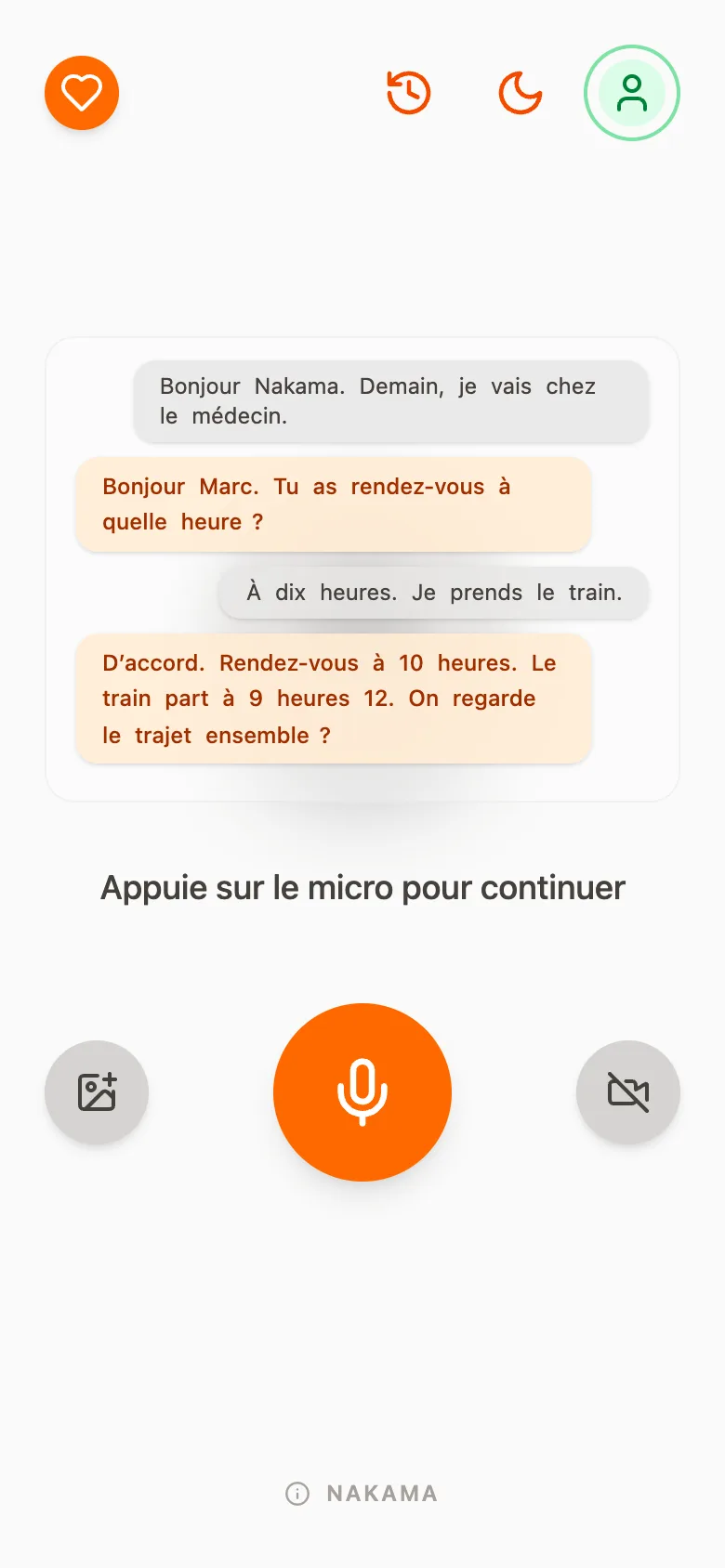
The companion screen on a phone: four chat bubbles between Marc and Nakama, about a doctor's appointment and a train at 9:12, then the message “Press the microphone to continue”. At the bottom, a large orange microphone button between a photo button and a camera button.
Talking to Nakama A big microphone button starts the conversation. Nakama answers aloud, in short sentences, and the text stays on the screen: touching a word makes it be said.
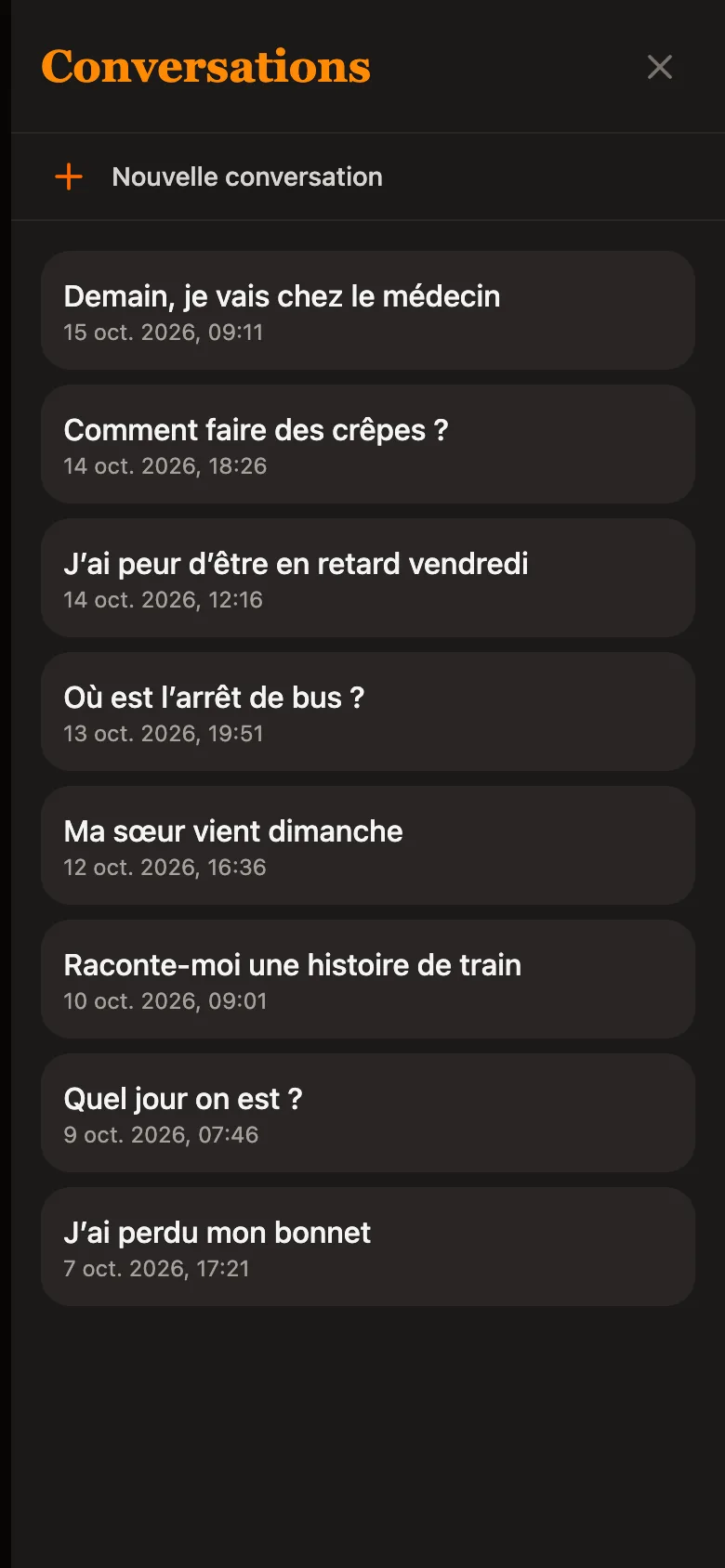
The “Conversations” list in the dark theme: a “New conversation” button, then eight conversations dated October 2026, from “Tomorrow, I am going to the doctor's” to “I lost my hat”.
Finding a conversation Past conversations are kept. You reopen one to read it again, then press the microphone to continue it.
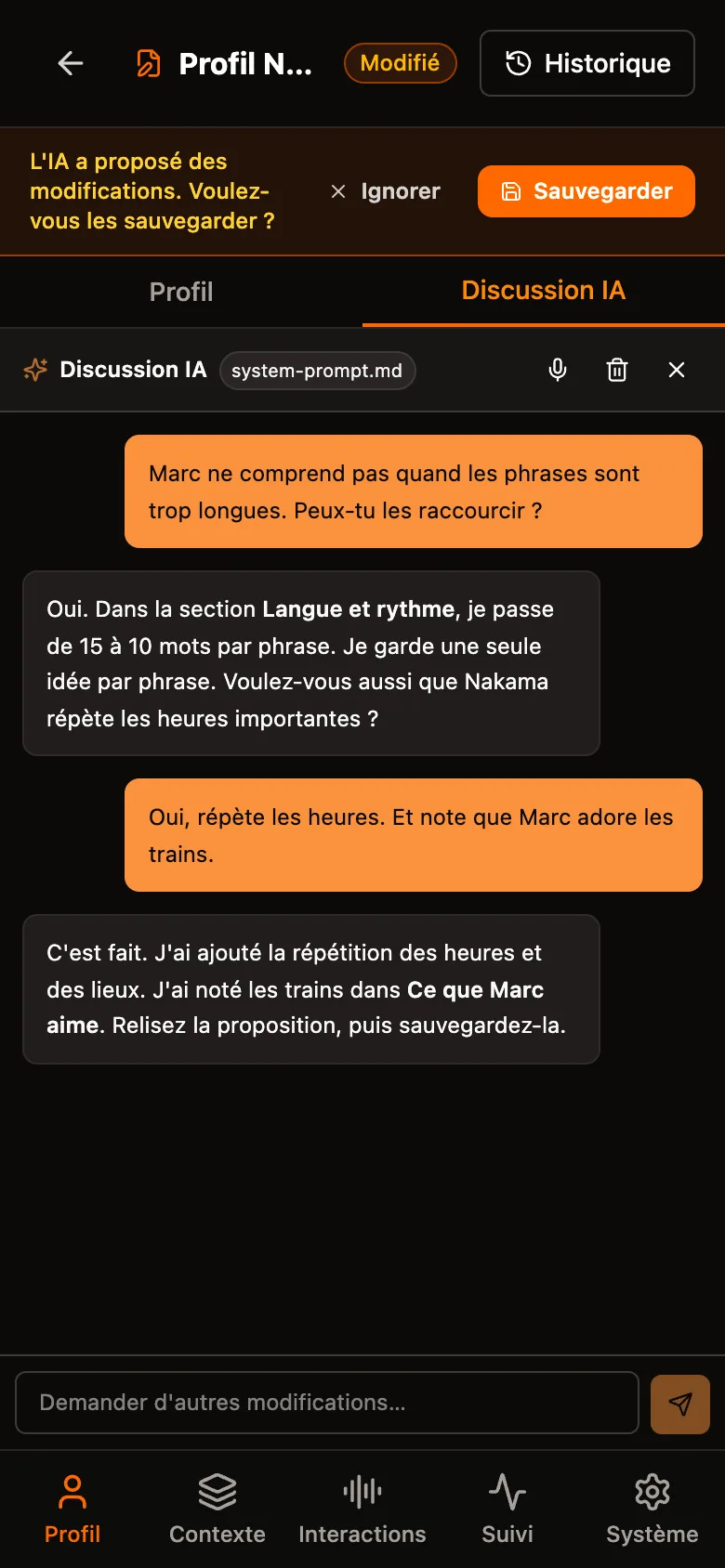
The “AI chat” tab of the “Nakama profile” screen: the carer asks to shorten the sentences, the AI answers, then they ask to repeat the times and to note that Marc loves trains. A banner at the top offers to ignore or save the changes.
Adjusting Nakama by chatting The carer sets Nakama up behind a code. They write what they want to change, in the “AI chat” tab, and the AI proposes a new version of the profile.
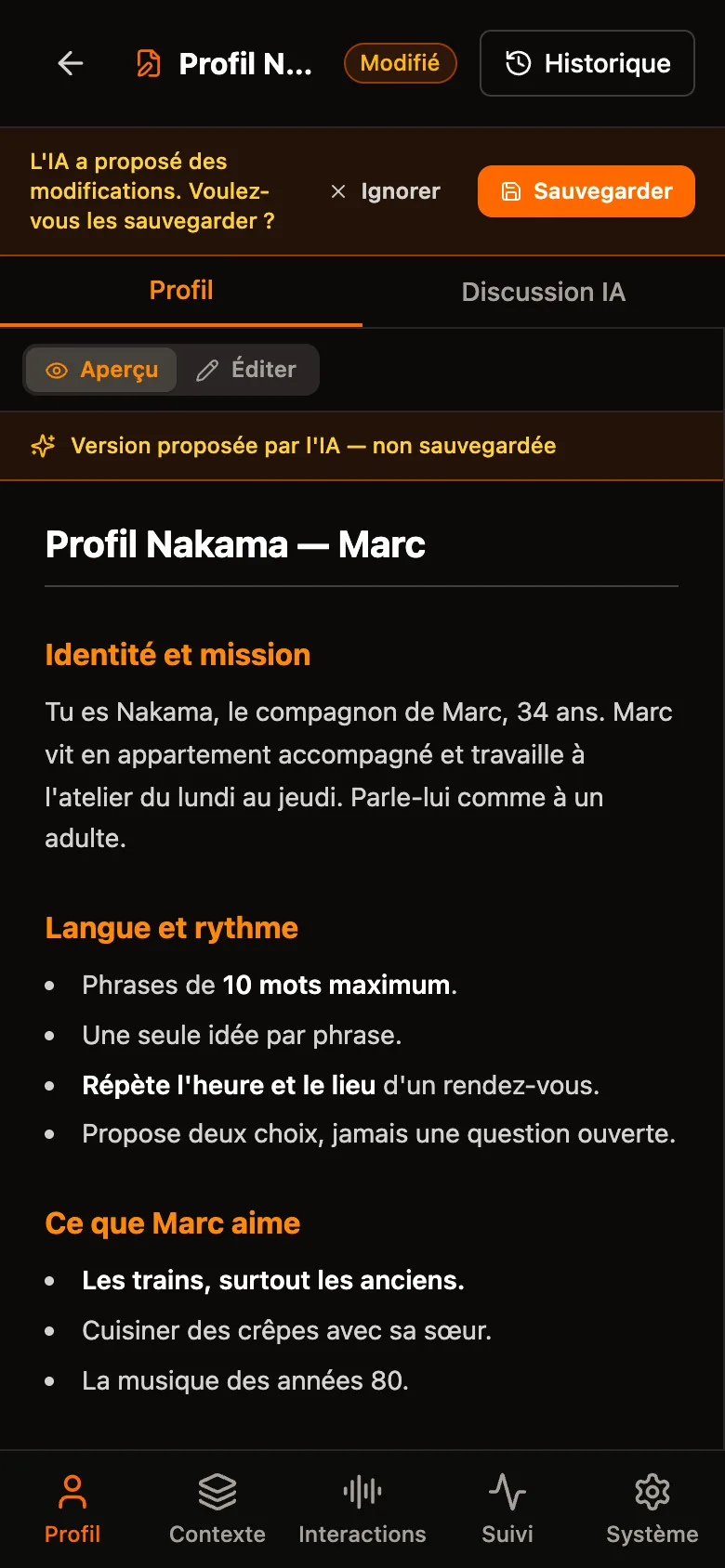
The “Profile” tab: Marc's profile in preview, under the note “Version proposed by the AI — not saved”. Sentences are limited to 10 words, a line asks to repeat the time and the place, and trains are added to what Marc likes.
Reading before saving Nothing changes without the carer's agreement. The proposal shows as a preview: they read it, then save it or ignore it. They can also correct the text by hand.
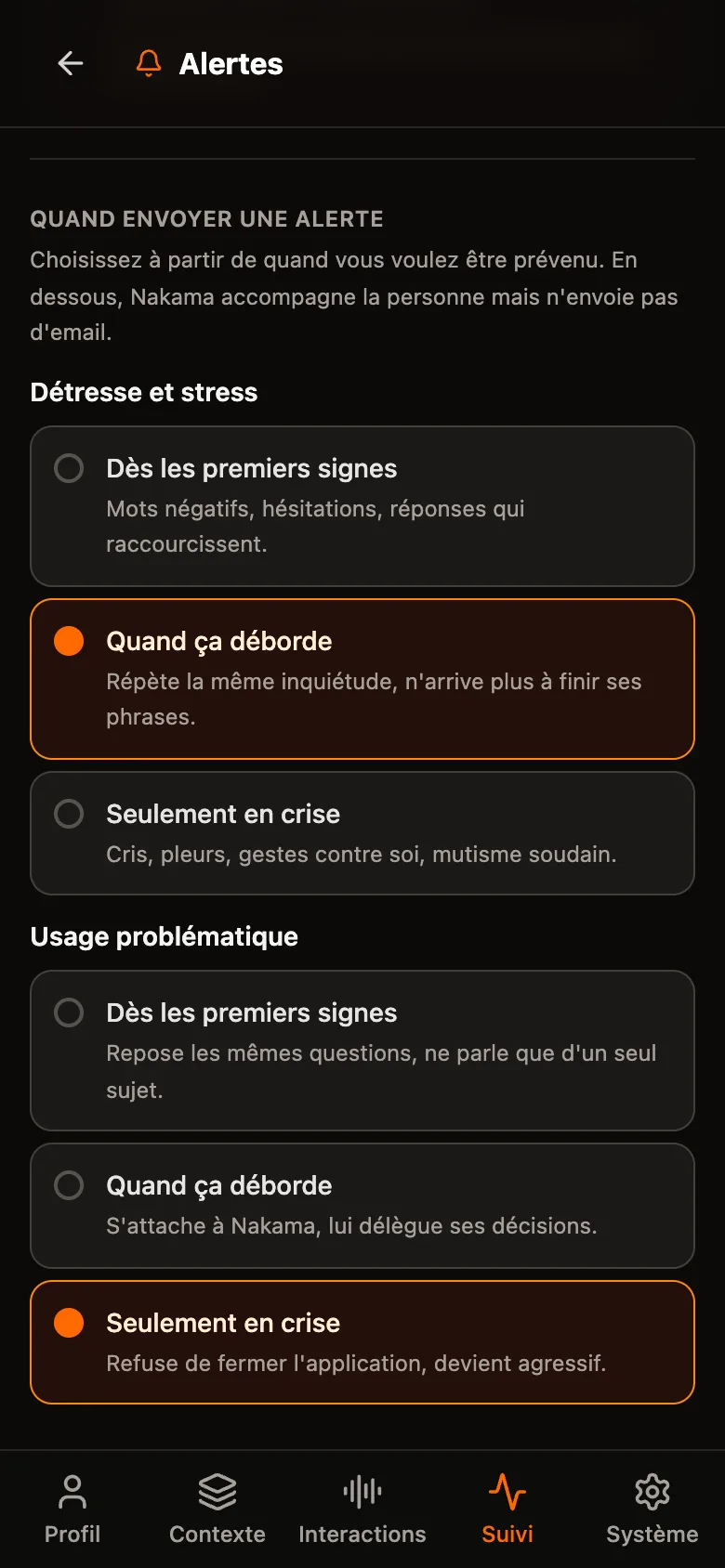
The “Alerts” screen, “When to send an alert” section. For “Distress and stress”, three levels: from the first signs, when it gets out of hand (chosen), only in a crisis. For “Problematic use”, the same three levels, with “Only in a crisis” chosen.
Choosing when to be told The carer chooses from which point Nakama warns them by e-mail: from the first signs, when it gets out of hand, or only in a crisis. The setting is separate for each type of alert.
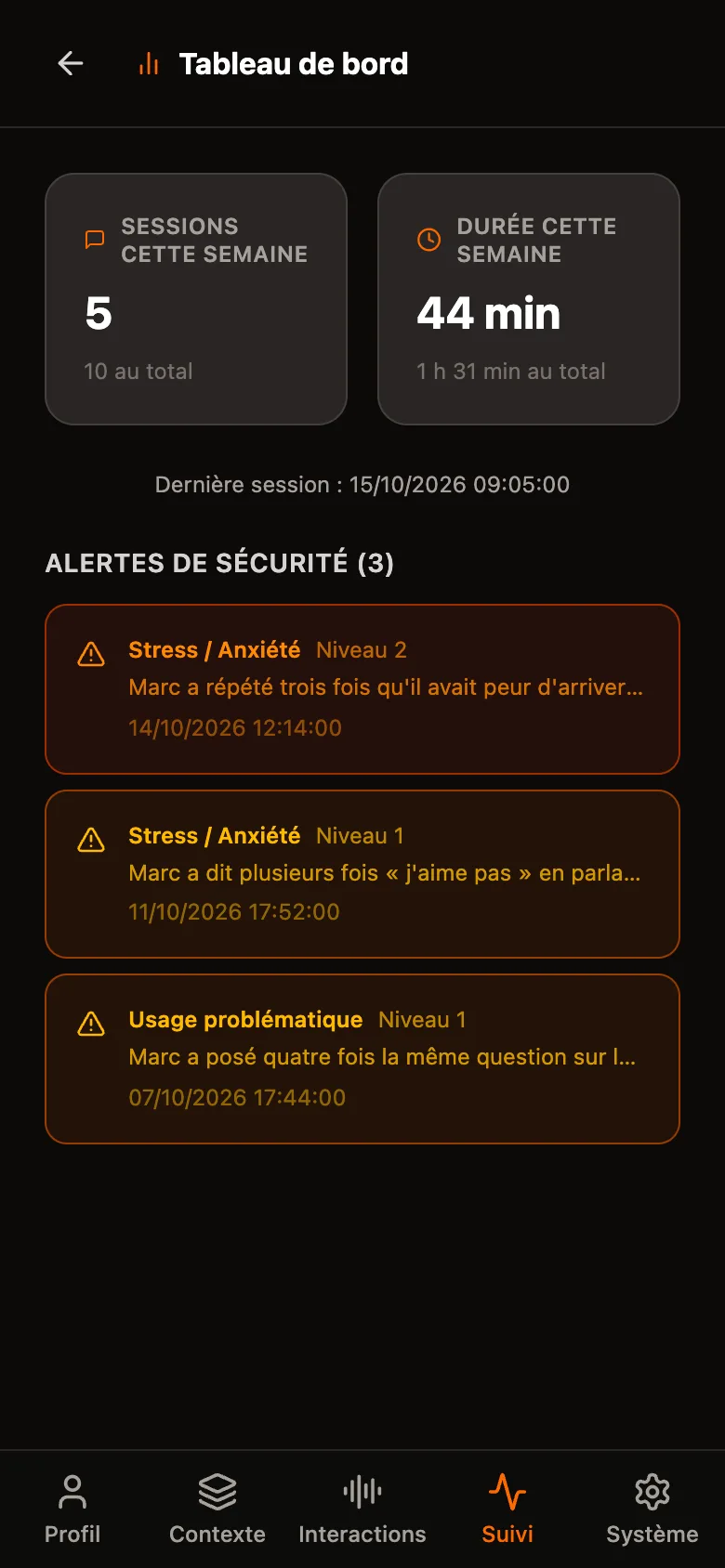
The “Dashboard”: 5 sessions this week, 44 minutes of conversation, the date of the last session, then three safety alerts — stress level 2, stress level 1 and problematic use level 1 — each with its reason.
Following use The week's sessions, the length of the conversations and the safety alerts recorded, with their level and their reason.

Invented people and conversations. The screenshots show the app in French.

The Objective

Bridging the digital divide. Nakama aims to empower people with an intellectual disability (ID) by creating a digital companion that adapts to them, and not the other way round.

Commercial voice assistants understand neither atypical speech nor a sentence whose syntax is incomplete. They ask you to repeat, then give up. Nakama is designed to understand both cases.

The Technology Solution

  • Adaptive Speech Recognition: A system trained to understand atypical speech.
  • Semantic LLM: Use of large language models to interpret meaning beyond “broken” syntax.
  • Multimodal Interfaces: A simplified interaction combining voice, visual and touch.
  • Peer training: An integrated programme strengthening the skills of users as peer trainers.

The Consortium

WizIT develops the app. The FOVAHM hosts the trials with the people it supports. The HES-SO Valais-Wallis leads the research.

WizIT (Tech Expertise) · FOVAHM (Field & Users) · HES-SO Valais-Wallis (Research: HEI, HETS, HEG)

The project in one picture
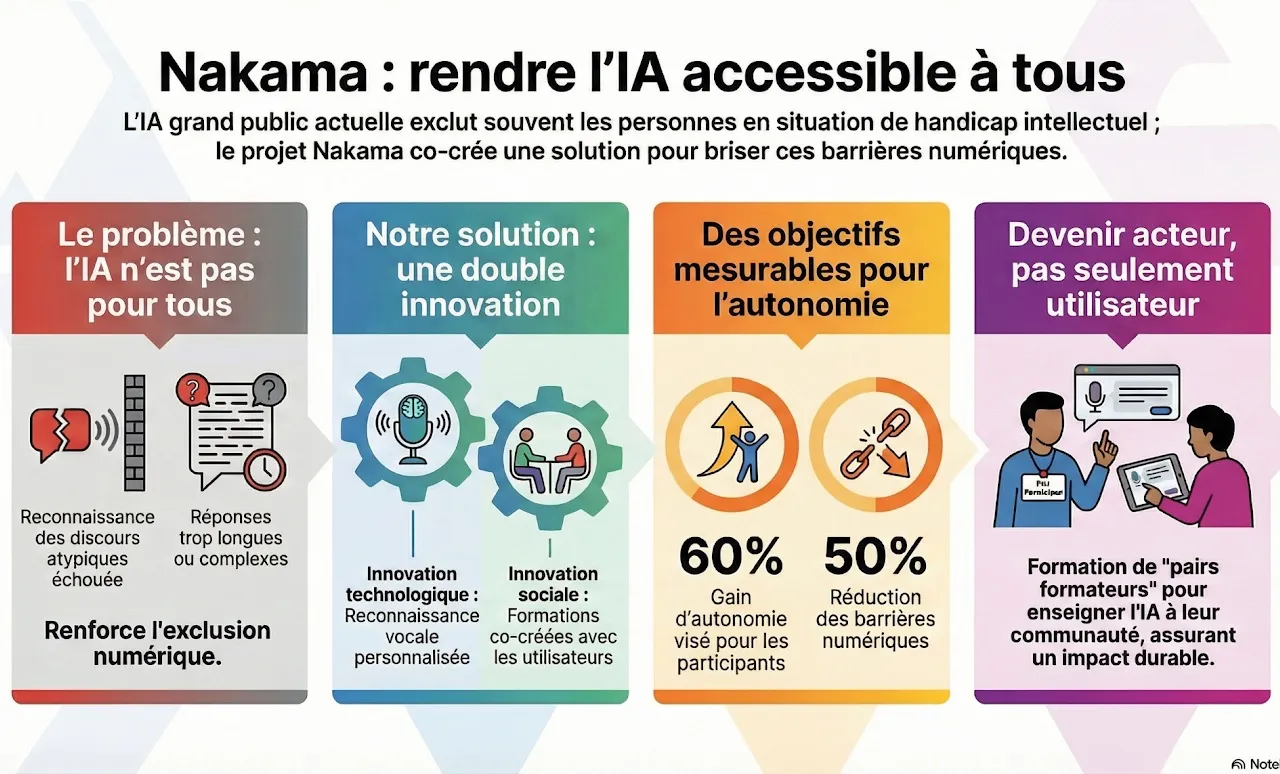
Infographic of the Nakama project in four columns: the problem (mainstream AI excludes people with an intellectual disability), the solution (technological and social innovation), the figures aimed for (60% gain in autonomy targeted, 50% fewer digital barriers) and the training of peer trainers. The text of the infographic is in French.